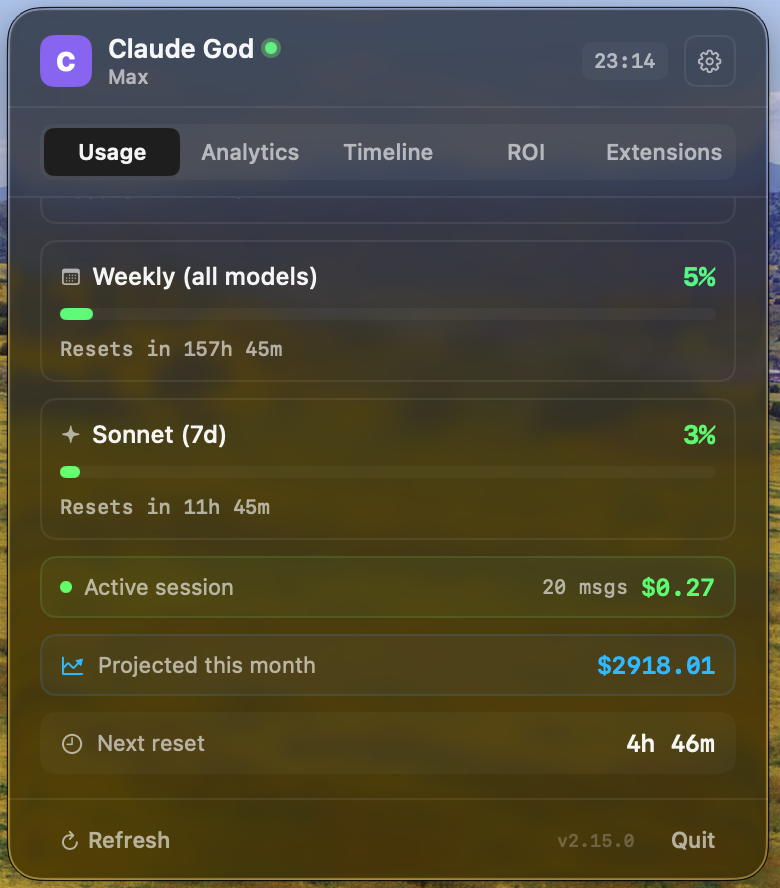
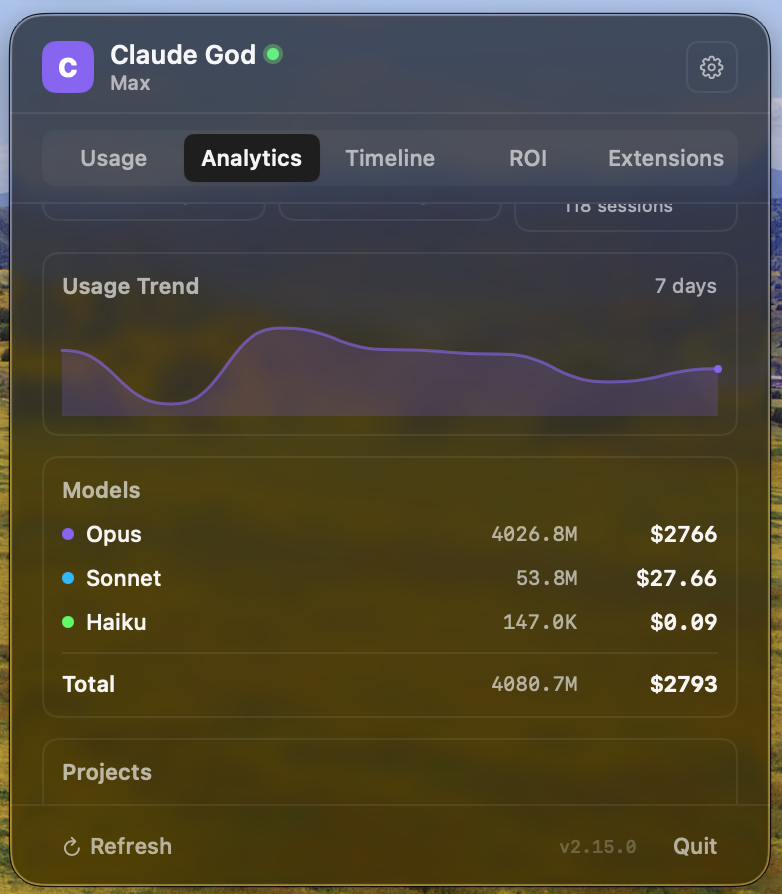
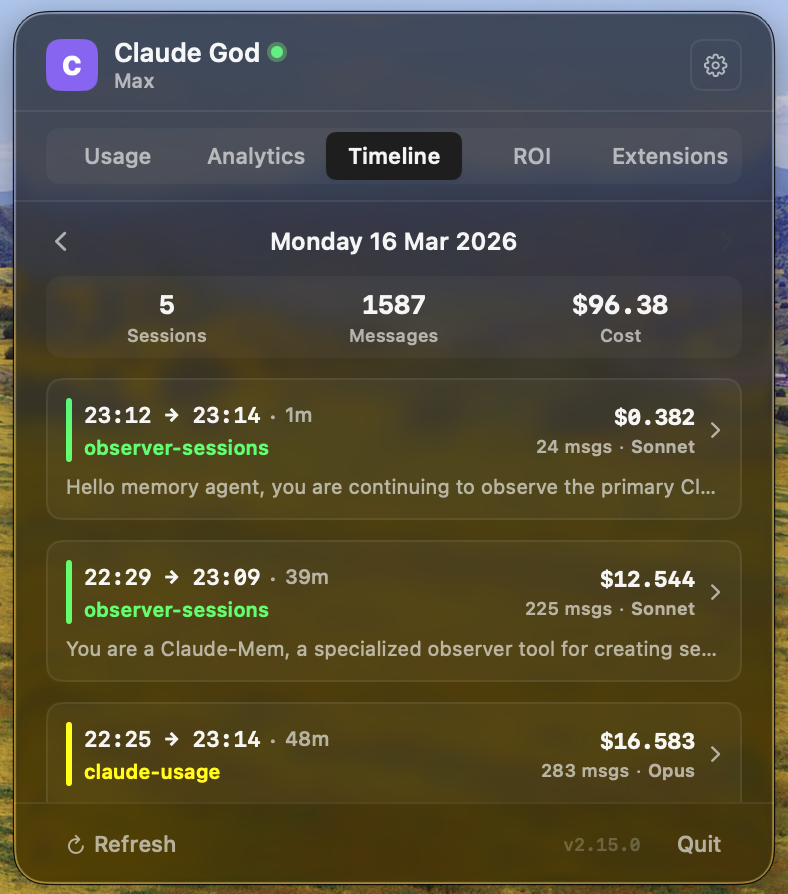
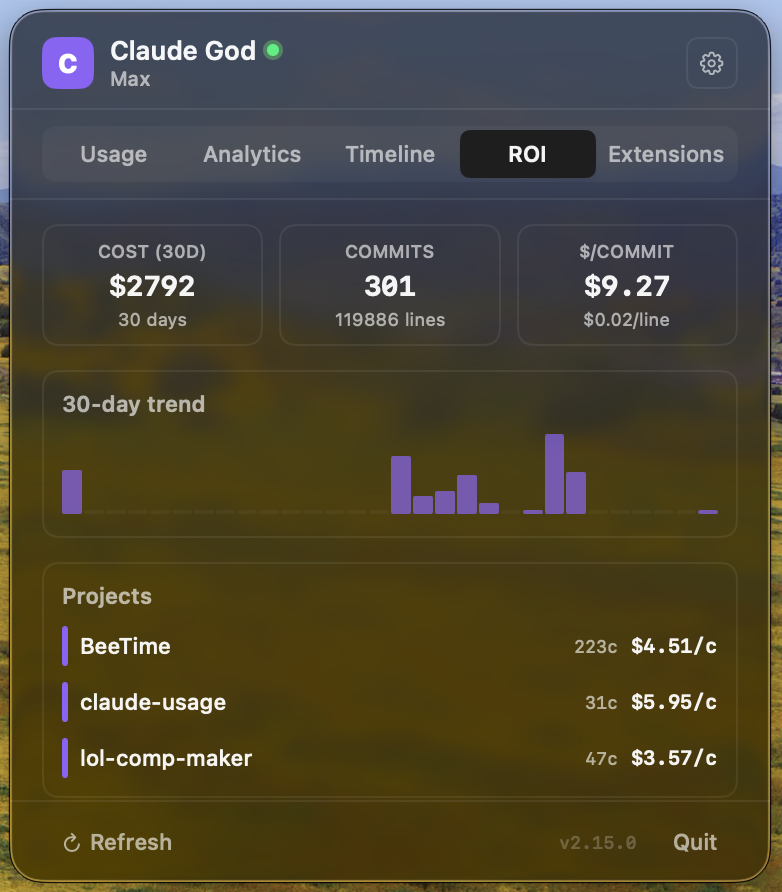
Recent releases and improvements.
v2.25.6
2026-09-21
Fixed: A “security wants to access key” password dialog kept coming back after every automatic token refresh — the app rewrote the Keychain item in a way that locked out its own reads, and blocked security processes piled up behind the dialog. Refreshed tokens are now written the same way Claude Code writes them, so the item stays readable without ever prompting.
v2.25.5
2026-09-01
Fixed: Switching accounts only moved the green dot — every row read the same login, so the quota, sessions and costs on screen never changed. Each account now keeps its own credentials and transcripts, and “Add” asks for the config directory that identifies it.
Fixed: A switch that found no credentials quietly left the previous account signed in, and the timeline could take two minutes to catch up. A switch now clears the old account first and refreshes everything at once.
v2.25.4
2026-08-21
Fixed: The app could get stuck for good once you stopped running claude in a terminal — it only ever read credentials, counting on the CLI to keep the shared Keychain entry fresh, which the Claude desktop app never touches. It now recovers the session on its own once the stored token has been dead long enough that no CLI can still be using it.
Fixed: An expired session was reported as “Rate limited”, sending you to wait out a limit you never hit. It now says “Session expired” and offers Sign In.
v2.25.3
2026-08-21
Fixed: The menu bar never turned green — under 50% usage the icon fell back to the system color, so only orange and red were ever tinted. The menu bar text was never colored in any mode either, leaving a red icon next to a plain white percentage at high usage. Icon and text now share one tint driven by the worst quota.
Added: “Color by usage level” toggle in Settings → Menu bar, on by default, for anyone who prefers a monochrome menu bar.
v2.25.2
2026-08-04
Fixed: Usage tab was blank for enterprise accounts with a dollar budget but no token quotas — the tab gated rendering solely on the token quota list, so these accounts hit the empty state instead of their Extra Usage card.
Fixed: Compact mode never rendered extra usage at all. It now shows an Extra Usage line — percentage bar when a monthly limit exists, On/Off badge otherwise.
v2.25.1
2026-07-28
Fixed: Daily forced claude /login — Claude God's background token-health timer + a refreshInternal fallback were consuming Claude Code's single-use OAuth refresh token, invalidating the CLI's in-memory copy every ~24h. Removed both paths and deleted the self-refresh code entirely so no future path can regress this.
v2.25.0
2026-07-28
Added: JSON usage export — opt-in toggle writes a full snapshot to ~/.claude-god/usage.json after every refresh, so tmux/i3blocks/dashboards can read live Claude usage without hitting the OAuth API themselves.
Added: Claude Code statusline integration — one-click install a helper that prints session · weekly · today colored inside every Claude Code prompt via the statusLine setting.
Added: Notarized release pipeline — the CI transparently upgrades from ad-hoc to Developer ID signing + Apple notarization + stapling as soon as the Apple secrets are configured on the repo; users then no longer need to run xattr -cr after install.
v2.24.3
2026-07-27
Fixed: Transparent phantom window when changing text size — WindowTopAnchor only resized the NSPanel's height, so SwiftUI's content resize on textScale change left an empty backing halo (or overflowed the window). Anchor now resizes width too and keeps the top-right corner fixed so the popover stays anchored under its status item.
v2.24.2
2026-07-27
Fixed: "Sign In" button in Settings appeared to do nothing on a fresh install — clicking it briefly flashed "Signing in…" then silently reverted. The error ("Claude CLI not found — install with npm i -g @anthropic-ai/claude-code") was set correctly but only rendered in the Usage-tab error banner, which fresh-install users never see. The Authentication card now displays the error under the Sign In button.
v2.24.1
2026-07-27
Fixed: Intel Mac support restored — release DMG is now a universal binary (arm64 + x86_64). The GitHub Actions Apple Silicon runner was producing arm64-only builds that Intel users couldn't launch; added ARCHS="arm64 x86_64" + ONLY_ACTIVE_ARCH=NO to the workflow.
v2.24.0
2026-07-27
Added: Adjustable popover text size (S / M / L / XL) — a Settings preset picker resizes every font in the popover via a textScale environment value + .shFont(...) modifier (no .scaleEffect blur). Popover width scales with the multiplier so bigger type doesn't wrap. Menu bar rendering is untouched; default M leaves existing users unchanged.
Added: Model-scoped weekly quotas — weekly_scoped entries from the OAuth limits array (currently the Fable weekly quota on Max+) now render as "Weekly (Fable)" alongside "Weekly (all)", and downstream code (notifications, alert rules, rings, widget) picks them up generically.
Fixed: Permanent "Session expired" that no sign-in could clear — credential loaders returned ~/.claude/.credentials.json without checking expiry (pinning the app to a dead token while a valid one sat in the Keychain), and the embedded claude auth login PTY had no stdin write path so the authorization-code prompt was unanswerable. Both entry points now pick whichever source has the latest expiresAt, and the sign-in terminal accepts input.
v2.23.4
2026-06-15
Fixed: Repeated "Claude God wants to use your confidential information stored in Claude Code-credentials-XXXXXXXX" prompt — the per-entry data fetch in the suffixed-credentials scan used SecItemCopyMatching + kSecReturnData, which prompts on every read. Now reuses the existing security find-generic-password helper with the exact service name from the non-prompting list query, ending the dialog loop.
v2.23.3
2026-06-08
Fixed: No more "Claude God wants to access the keychain" prompt for the common case — v2.23.2's fallback hit the Security framework directly. Now tries security find-generic-password -a $USER as a second non-prompting fast path; the API scan only runs for unusual multi-account layouts.
v2.23.2
2026-06-08
Fixed: v2.23.1's Keychain fallback didn't actually run — the SecItemCopyMatching call combined attributes+data+matchAll, which the legacy login keychain rejects with errSecParam. The scan now lists references first then fetches each item's data, so users with multiple Claude Code-credentials entries (a common Claude Code layout) finally connect.
v2.23.1
2026-06-08
Fixed: Embedded claude auth login no longer crashes the app (PTY slave FD double-close → EXC_GUARD), credentials now detected when newer Claude Code only writes per-project suffixed Keychain entries, and the popover only grows downward when resizing (top edge pinned to the status bar item).
v2.23.0
2026-06-01
New: Extra Usage (dollar budget) is a first-class quota across the app — surfaced as a % in every menu bar mode, selectable in Icon+ Rings, drives icon warning/critical colors, fires usage alerts, and the popover card gains a color-coded progress bar.
v2.22.2
2026-05-26
Changed: Peak hours window updated to weekdays 5am–11am PT to match Anthropic's actual throttling band for 5-hour session limits (was 7am–5pm PT, announced 2026-03-26).
v2.22.1
2026-05-26
Fixed: Session expired recovery — OAuth refresh now uses form-encoded bodies per RFC 6749 (ends HTTP 400 loop), `claude` binary resolved through the login shell so nvm / fnm / volta / pnpm installs are found, and a 10s background poller picks up Keychain-only credentials written by a manual `claude auth login`.
v2.22.0
2026-05-04
New: Rings menu bar mode — Apple Watch-style concentric activity rings for up to 3 quotas, configurable picker with live preview and an optional Timer ring.
v2.21.1
2026-05-04
Fixed: Drastic energy savings (App Nap re-enabled, adaptive countdown, deferred JSONL scan), widget extension now registers in the macOS gallery, resizable popover actually responds to drag with a visible grip handle.
v2.21.0
2026-05-04
New: Session+Week menu bar mode, resizable window with persisted height, extra usage balance card, Claude Design quota row, Sign In button + opt-in auto-reconnect on expired token. Fixed: Usage tab flicker on expired token, long reset times shown as days/hours.
v2.20.4
2026-04-13
Fixed: Hardened refresh pipeline — every exit path clears loading state, credential reload timeouts, backoff counter auto-resets.
v2.20.3
2026-04-13
Fixed: Respect server Retry-After on 429, progressive backoff, token expiry pre-flight, Keychain credential fallback.
v2.20.2
2026-04-08
Fixed: App no longer stuck on "Rate limited" after claude login — auto-retry, correct UI buttons, credential-change detection.
v2.20.1
2026-04-02
Fixed: Refresh no longer stuck/spinning — cancellable fetches, stale response detection. New: Peak/off-peak indicator.
v2.19.0
2026-03-19
Perf: JSONL parsing without memory roundtrip, SQLite 9→4 queries, widget skip unchanged, keychain off main thread. Brew upgrade copy button.
v2.18.0
2026-03-17
New: 9 plugin detail views — GitHub MCP tools, swift-lsp, code-review, code-simplifier, context7, playwright. Plugin update button. Better menu bar icon contrast and readability.
v2.17.0
2026-03-16
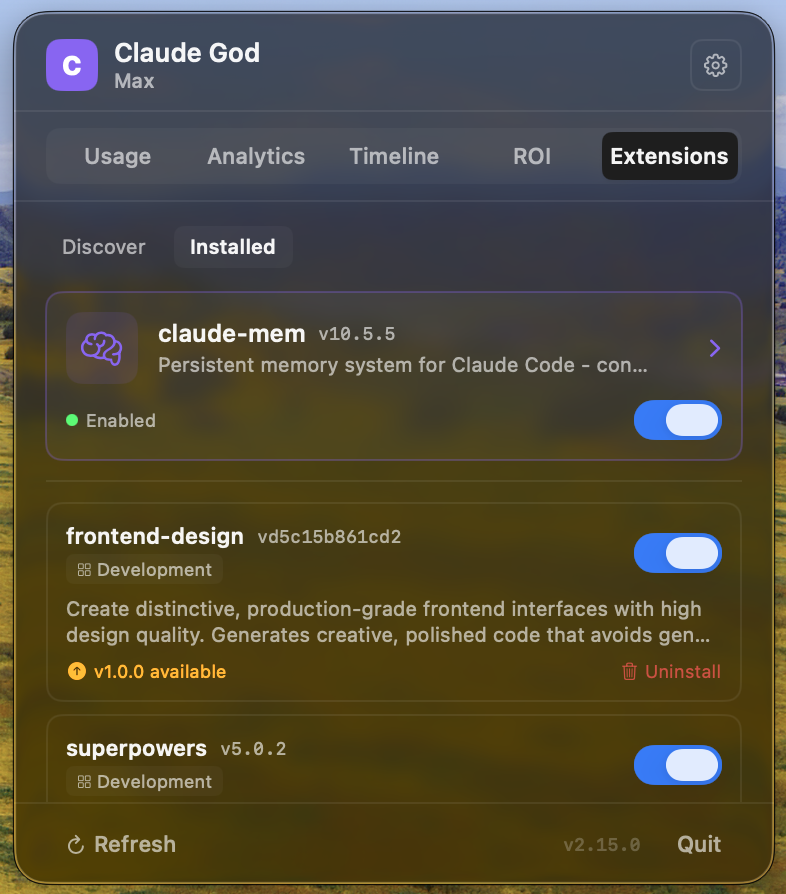
New: Superpowers plugin UI — browse skills, view plans with progress bars, design specs. Frontend Design plugin UI — design principles, aesthetic tones, anti-patterns reference.
v2.16.0
2026-03-16
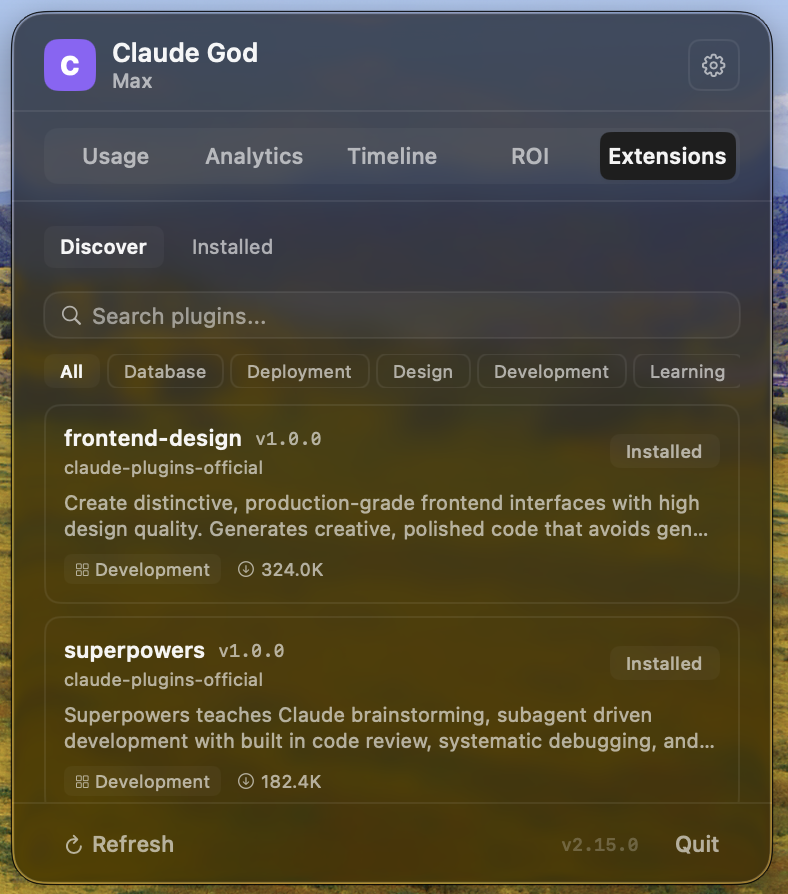
New: Extensions tab with plugin marketplace — browse, search, install, and manage Claude Code plugins directly from the app. Featured cards for plugins with custom UI.
v2.15.0
2026-03-16
Fixed: Memory tab now reads correct claude-mem schema.
New: Activity timeline, project summaries, Markdown export, delete observations, open files in Finder.
v2.14.0
2026-03-16
New: Memory tab — browse claude-mem persistent memories with search, project filter, stats cards, and install guide when plugin is not installed.
v2.13.1
2026-03-16
Fix: OAuth token refresh no longer persists tokens to disk — prevents daily 401 errors for Claude Code users.
v2.13.0
2026-03-16
Perf: 7 optimizations — single JSON decode per JSONL line, direct Data splitting, single-pass analysis, binary search for ROI matching.
v2.11.0
2026-03-13
New: ROI tab — correlates git commits with Claude sessions. Shows cost/commit, per-project & per-model breakdown, 30-day trend sparkline.
v2.10.0
2026-03-12
New: Updated model pricing, SEO improvements, download counter. Fix: Project cost truncation, mobile layout.
v2.9.0
2026-03-11
Fix: Token refresh race condition, notification spam, reset timer, CSV export. Reduced polling, better rate limit handling.
v2.8.0
2026-03-11
New: Desktop widget, usage heatmap, live session cost, per-project budgets, Shortcuts.app, multi-account, custom alerts.